
Email security check
Enter a domain and Leadee looks up its public DNS records for MX, SPF, DKIM, DMARC, MTA-STS, TLS-RPT and BIMI, then explains what is missing or misconfigured with a fix for your email provider — the setup that decides whether your mail lands in the inbox or gets flagged as spam or spoofable.
Updated
- No email needed
- Free, no sign-up
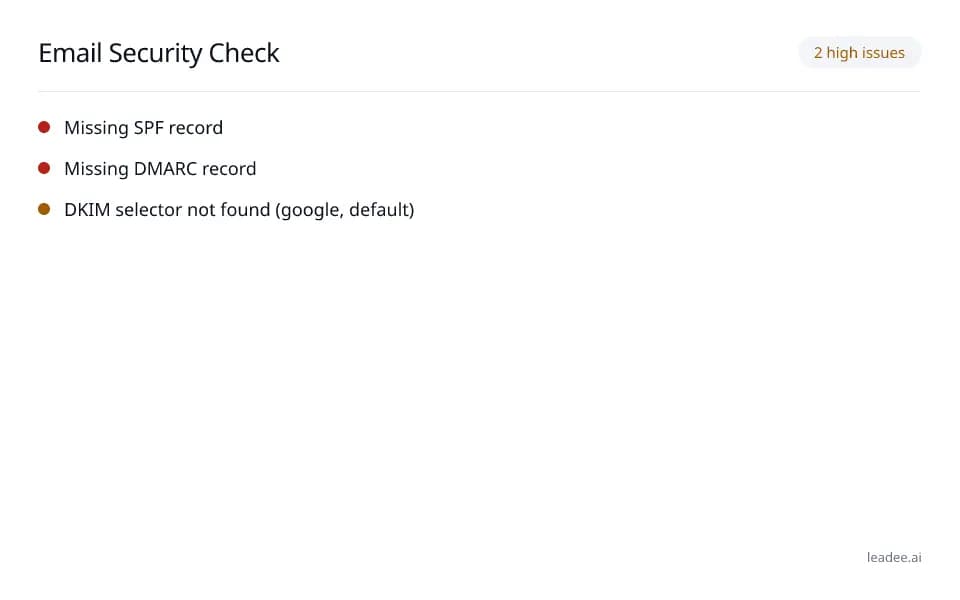
Example result
Run it now
At a glance
- 3 items
- What it checks
- 3
- Questions answered
- No email needed
- To get a result
- Is my site healthy?
- Answers
What does it check?
MX (which mail servers handle your
MX (which mail servers handle your domain's email), SPF (the list of servers allowed to send mail as you) and DMARC (the policy telling inbox providers what to do with mail that fails those checks) records
DKIM (a cryptographic signature proving a
DKIM (a cryptographic signature proving a message was not altered in transit) at common selectors, plus your own selector if you give one
MTA-STS (forces encrypted delivery to your
MTA-STS (forces encrypted delivery to your mail server), TLS-RPT (reports encryption failures) and BIMI (shows your logo next to authenticated mail)
What does a result look like?
2 high issues
- Missing SPF record
- Missing DMARC record
- DKIM selector not found (google, default)
Sample from a real run, 14 Nov 2026.
How do I read and fix the result?
Fix the SPF and DMARC findings first — those are what most inbox providers check before anything else; a correct DKIM selector and the newer MTA-STS/TLS-RPT/BIMI records matter too but affect fewer providers today.
Enter the domain you want to check, and your DKIM selector if you know it.
Read which records are missing or misconfigured: MX, SPF, DKIM, DMARC, MTA-STS, TLS-RPT, BIMI.
Add the missing records with your email provider's plain-English fix (Google Workspace, Microsoft 365, Zoho, cPanel).
Re-run the check after DNS propagates to confirm the fix took.
Who is it for?

Engineering and field-service teams
Sites that must stay fast, secure and crawlable.

Local and regional printers
Small-business sites that can't afford downtime or a breach.

Distribution and logistics
Order and tracking pages that must never time out.
What are the limits?
What are the limits?
This only queries public DNS records and the published MTA-STS policy file — it never connects to a mailbox or reads any message, and a selector it does not already know has to be entered by hand to be checked.
Questions
Why does email authentication matter?
A missing or too-permissive SPF record (the IETF standard at https://www.rfc-editor.org/rfc/rfc7208) makes it easier for attackers to spoof your domain in phishing email, and inbox providers increasingly downrank or reject mail from domains without DMARC — the exact problem that puts legitimate mail from traditional B2B companies into spam.
What if my DKIM selector is not one of the common ones you check?
Enter it in the optional DKIM selector field alongside the domain — Leadee checks it in addition to the common selectors (google, selector1, selector2, default, k1, mail, dkim, s1, s2) it always looks up. DKIM itself is the IETF standard at https://www.rfc-editor.org/rfc/rfc6376.
Does this tool read my email content?
No — it only queries public DNS records (MX, TXT for SPF/DMARC/DKIM/MTA-STS/TLS-RPT/BIMI) and, for MTA-STS, fetches the publicly-published policy file. It never connects to a mailbox or reads any message.
Can GEO guarantee results?
No. AI answer engines change their output frequently, and no vendor — including Leadee — can guarantee a ranking or a mention. Leadee publishes confidence intervals on every metric so you can see how much a result can vary run to run.
How does Leadee measure AI visibility?
Leadee runs your prompt set against each AI engine on a weekly to daily schedule, depending on plan, through official vendor APIs (OpenAI, Gemini, Perplexity, Anthropic, DataForSEO) — never by scraping consumer chat interfaces — and reports mention rate, citation rate, average position, share of voice and sentiment with a 95% confidence interval.
Who do I talk to?
Email support@leadee.ai or use Talk to an expert at https://leadee.ai/contact-sales — the Netbase JSC team behind Leadee replies by email or WhatsApp — or WhatsApp the CEO directly at https://wa.me/84937869689.
Related
 Free tool
s
 Free tool
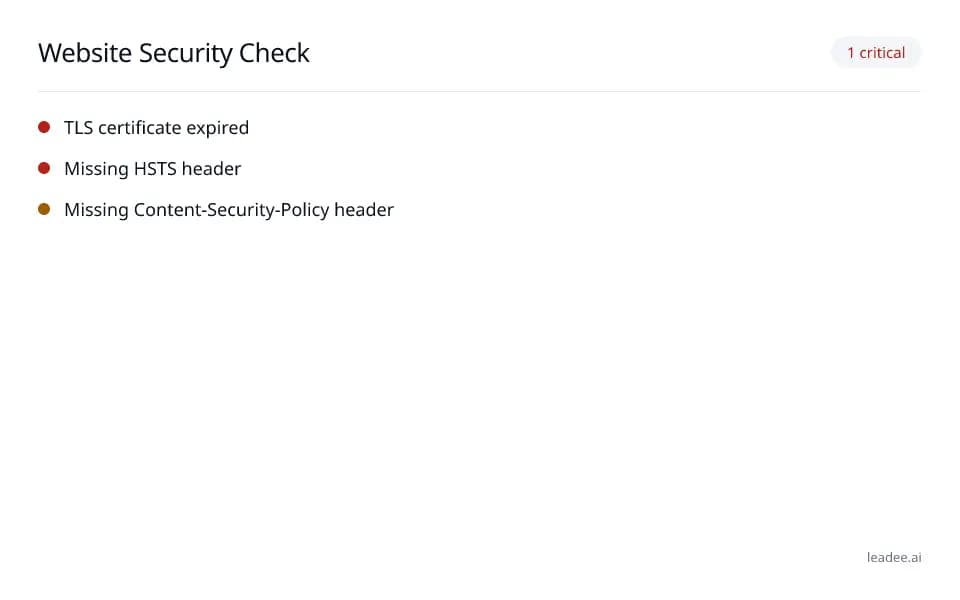
Website security check
- Free tool
AI Crawlers and Robots.txt
Keep SPF, DKIM and DMARC right as your setup changes.
Leadee tracks these records alongside the rest of your AI visibility and flags it when one breaks.