
Technical SEO audit
Enter a domain and Leadee crawls it for the technical SEO fundamentals that affect both search and AI crawlers: broken internal/external links, redirect chains that should point straight to the final page, missing or malformed titles and meta descriptions, missing image alt text, noindex/sitemap conflicts and a missing mobile viewport tag.
Updated
- No email needed
- Free, no sign-up
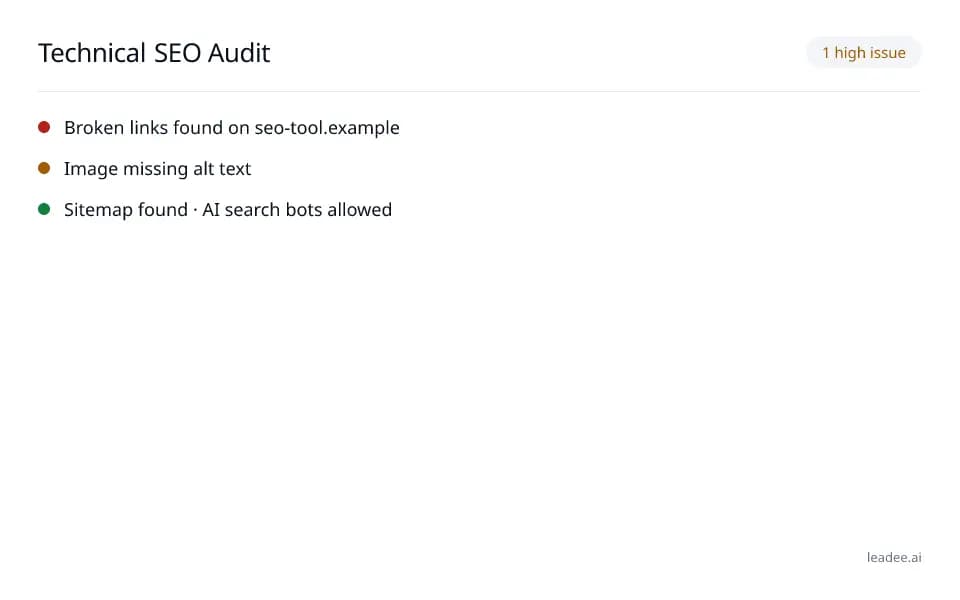
Example result
Run it now
At a glance
- 4 items
- What it checks
- 3
- Questions answered
- No email needed
- To get a result
- Is my site healthy?
- Answers
What does it check?
Broken internal and external links
Broken internal and external links
Redirect chains that should point straight
Redirect chains that should point straight to the final page
Missing or malformed titles, meta
Missing or malformed titles, meta descriptions and image alt text
Noindex/sitemap conflicts (a page tagged
Noindex/sitemap conflicts (a page tagged "noindex", telling search and AI crawlers to skip it, while still listed in your sitemap as if it should be crawled) and a missing mobile viewport tag
What does a result look like?
1 high issue
- Broken links found on seo-tool.example
- Image missing alt text
- Sitemap found · AI search bots allowed
Sample from a real run, 14 Nov 2026.
How do I read and fix the result?
Issues are grouped by severity — fix the high-severity ones first (broken links, redirect chains, indexability conflicts), since those block AI crawlers and search engines outright, before moving on to titles, meta descriptions and alt text.
Enter the domain you want to audit.
Read the issues, grouped by severity, starting with broken links and redirect chains.
Fix the highest-severity issues first — they are the ones AI crawlers and search engines reject outright.
Add missing titles, meta descriptions and image alt text next.
Re-run the audit after you publish the fixes.
Who is it for?

Engineering and field-service teams
Sites that must stay fast, secure and crawlable.

Local and regional printers
Small-business sites that can't afford downtime or a breach.

Distribution and logistics
Order and tracking pages that must never time out.
What are the limits?
What are the limits?
A crawl of your homepage plus up to 10 more pages, with up to 200 links checked, capped at 45 seconds of wall-clock time — a large site's report may come back marked "truncated" rather than complete.
Questions
How many pages and links does this tool check?
A crawl of your homepage plus up to 10 more pages (sitemap URLs first, then homepage links), and up to 200 of the links found on those pages get a follow-up status check for broken links and redirect targets — a signed-in member or a paid plan gets a larger crawl and link-check budget.
Why does the report sometimes say "truncated"?
Every run is capped at 45 seconds of wall-clock time so a large site never times out the request — if the crawl or link checks are still running when that budget runs out, Leadee returns whatever it found so far and flags the report as truncated with the reason, instead of failing outright.
Is this the same crawl as the full AI visibility audit?
It reuses the same crawl engine and several of the same checks (canonical tags, duplicates, headings, sitemap, robots.txt, structured data, redirects, HTTP errors), packaged as a standalone technical SEO report — the free AI visibility scan (leadee.ai/tools#free-scan) additionally covers AI crawler access and citability, which this tool does not.
Can GEO guarantee results?
No. AI answer engines change their output frequently, and no vendor — including Leadee — can guarantee a ranking or a mention. Leadee publishes confidence intervals on every metric so you can see how much a result can vary run to run.
How does Leadee measure AI visibility?
Leadee runs your prompt set against each AI engine on a weekly to daily schedule, depending on plan, through official vendor APIs (OpenAI, Gemini, Perplexity, Anthropic, DataForSEO) — never by scraping consumer chat interfaces — and reports mention rate, citation rate, average position, share of voice and sentiment with a 95% confidence interval.
Who do I talk to?
Email support@leadee.ai or use Talk to an expert at https://leadee.ai/contact-sales — the Netbase JSC team behind Leadee replies by email or WhatsApp — or WhatsApp the CEO directly at https://wa.me/84937869689.
Related
 Free tool
s
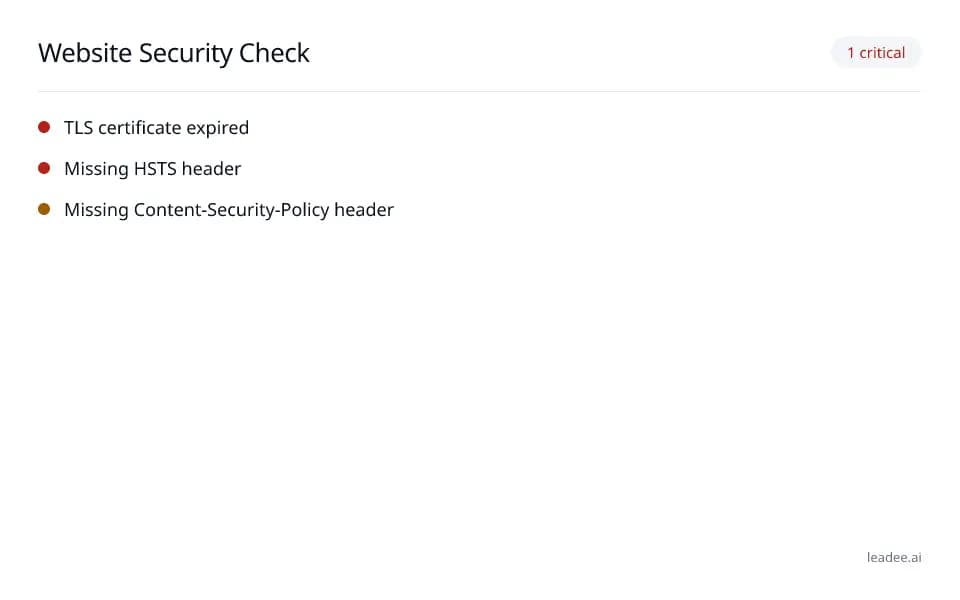 Free tool
Website security check
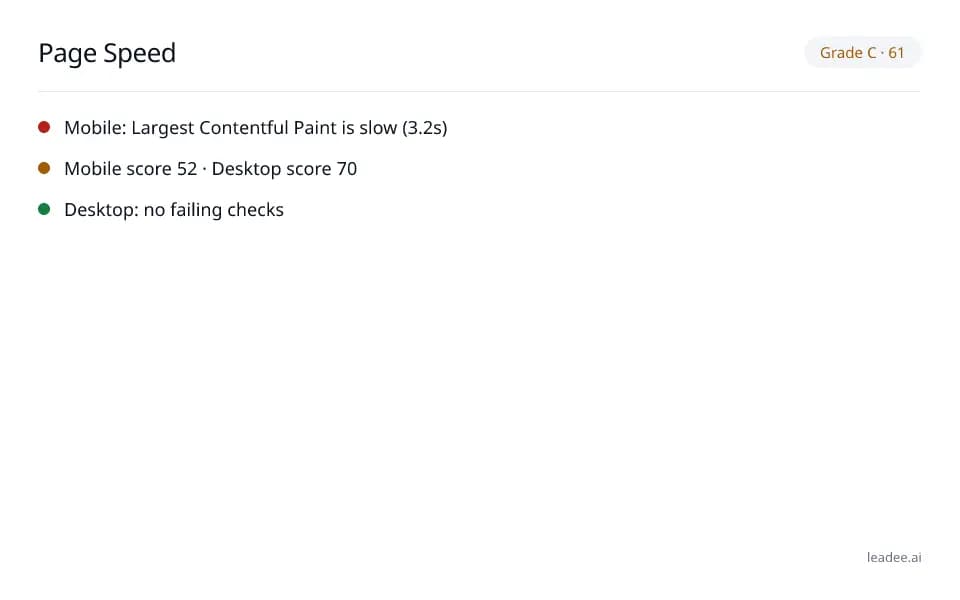 Free tool
Page speed & Core Web Vitals
 Free tool
JavaScript Rendering and AI Crawlers
 Service
Pricing
 Proof & trust
Methodology
Keep technical seo audit right as your site changes.
Leadee tracks this alongside the rest of your AI visibility and flags it when something breaks.