
Entity check
Paste a URL and Leadee extracts its JSON-LD and microdata to check for Organization, Brand, Product and WebSite entities, sameAs social links and a logo — the structured data AI answer engines use to understand who you are before they ever cite you.
Updated
- No email needed
- Free, no sign-up
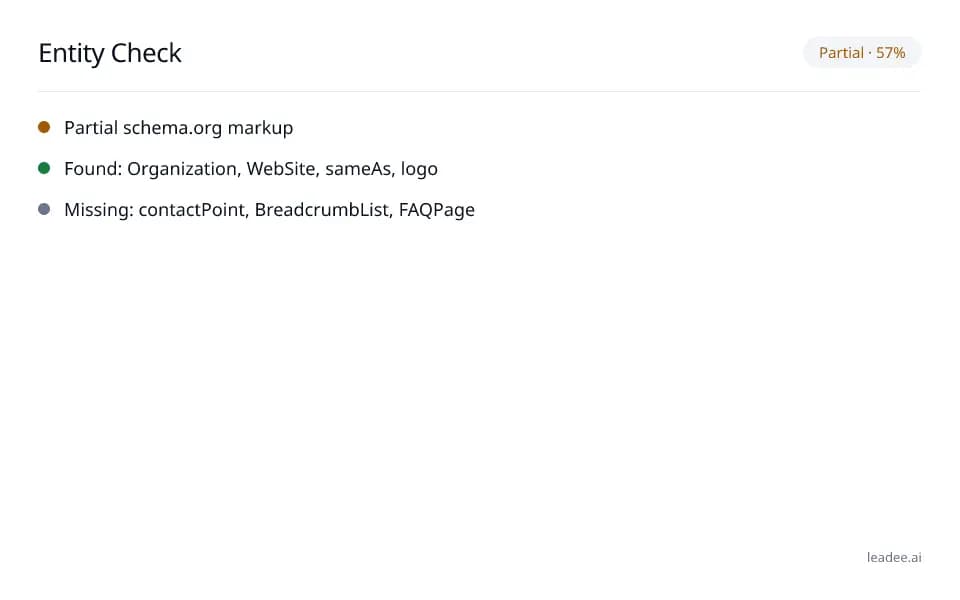
Example result
Run it now
At a glance
- 3 items
- What it checks
- 3
- Questions answered
- No email needed
- To get a result
- Can AI read my site?
- Answers
What does it check?
JSON-LD and microdata for
JSON-LD and microdata for Organization/LocalBusiness, Brand, Product and WebSite types
sameAs links to your social profiles
sameAs links to your social profiles
A logo on your Organization entity
A logo on your Organization entity
What does a result look like?
Partial · 57%
- Partial schema.org markup
- Found: Organization, WebSite, sameAs, logo
- Missing: contactPoint, BreadcrumbList, FAQPage
Sample from a real run, 14 Nov 2026.
How do I read and fix the result?
The percentage is the share of entity signals Leadee found out of everything AI engines look for on a company page. Start with the "Missing" list — each entry is one gap in what an AI engine can match against its own knowledge graph.
Paste the URL you want to check — usually your homepage.
Read the found/missing list: Organization, WebSite, sameAs links, logo, contactPoint, BreadcrumbList, FAQPage.
Add the missing entities yourself, or build them with the Schema Markup Generator.
Re-run the check to confirm the new markup is picked up.
Save & monitor the page so Leadee flags it again if the markup breaks later.
Who is it for?

Manufacturers
Product and spec pages AI engines need to parse correctly.

Professional services firms
Service pages that need clear Organization and entity markup.

B2B suppliers
Catalogue and partner pages AI crawlers must be able to read.
What are the limits?
What are the limits?
This reads one URL's JSON-LD and microdata only — it does not check RDFa, does not crawl any other page on your site, and a complete set of entities does not guarantee an AI engine will mention or cite you.
Questions
Why does entity markup matter for AI visibility?
AI answer engines resolve who is talking about a topic by matching structured entities (Organization, Brand, Product) against their own knowledge graph. A page with no JSON-LD or microdata gives the engine nothing to match, so it is less likely to attribute a mention or a citation to you correctly.
What does the entity check look at?
JSON-LD and microdata blocks (RDFa is out of scope) for Organization/LocalBusiness, Brand, Product and WebSite types, plus whether the organization entity carries sameAs links to your social profiles and a logo — the same checks behind the "Partial schema.org markup" finding in a full audit.
Is this the same as the full AI visibility audit?
No — this tool checks one page's structured data only. The free AI visibility scan (leadee.ai/tools#free-scan) runs a broader set of checks (AI crawler access, server rendering, citability, llms.txt) across your whole site.
Can GEO guarantee results?
No. AI answer engines change their output frequently, and no vendor — including Leadee — can guarantee a ranking or a mention. Leadee publishes confidence intervals on every metric so you can see how much a result can vary run to run.
How does Leadee measure AI visibility?
Leadee runs your prompt set against each AI engine on a weekly to daily schedule, depending on plan, through official vendor APIs (OpenAI, Gemini, Perplexity, Anthropic, DataForSEO) — never by scraping consumer chat interfaces — and reports mention rate, citation rate, average position, share of voice and sentiment with a 95% confidence interval.
Who do I talk to?
Email support@leadee.ai or use Talk to an expert at https://leadee.ai/contact-sales — the Netbase JSC team behind Leadee replies by email or WhatsApp — or WhatsApp the CEO directly at https://wa.me/84937869689.
Related
 Free tool
s
 Free tool
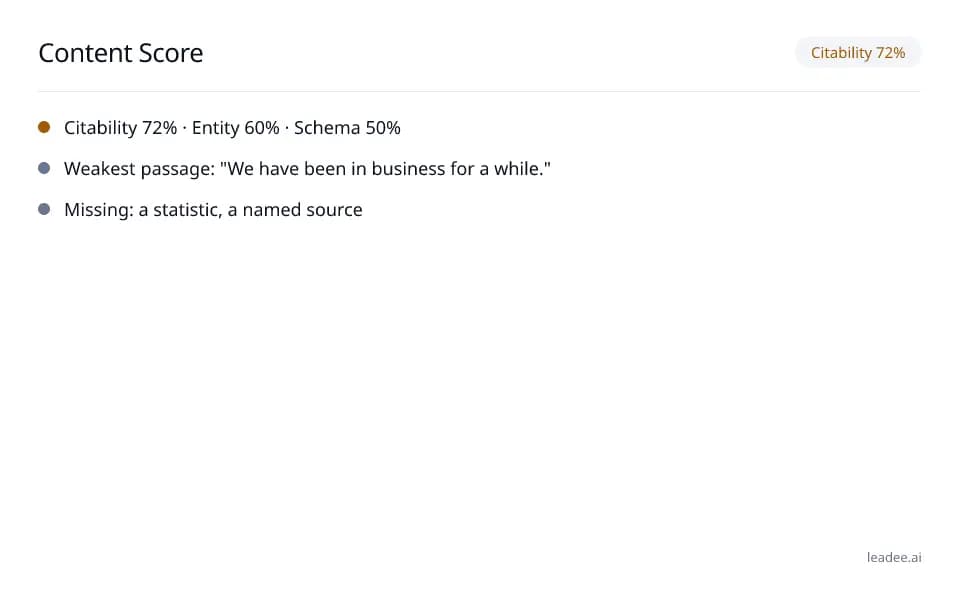
Content score
 Free tool
Schema Markup for B2B Sites
Keep this fixed as your site changes.
Leadee tracks AI visibility and alerts you when a check like this one changes — no more re-running tools by hand.