
Robots.txt generator
Pick a preset — allow AI search bots and block AI training bots, block all AI bots, or allow everyone — or set a rule per bot yourself, and Leadee writes a robots.txt that keeps your existing non-AI rules, adds your Sitemap: line, and shows a diff before you publish it.
Updated
- No email needed
- Free, no sign-up
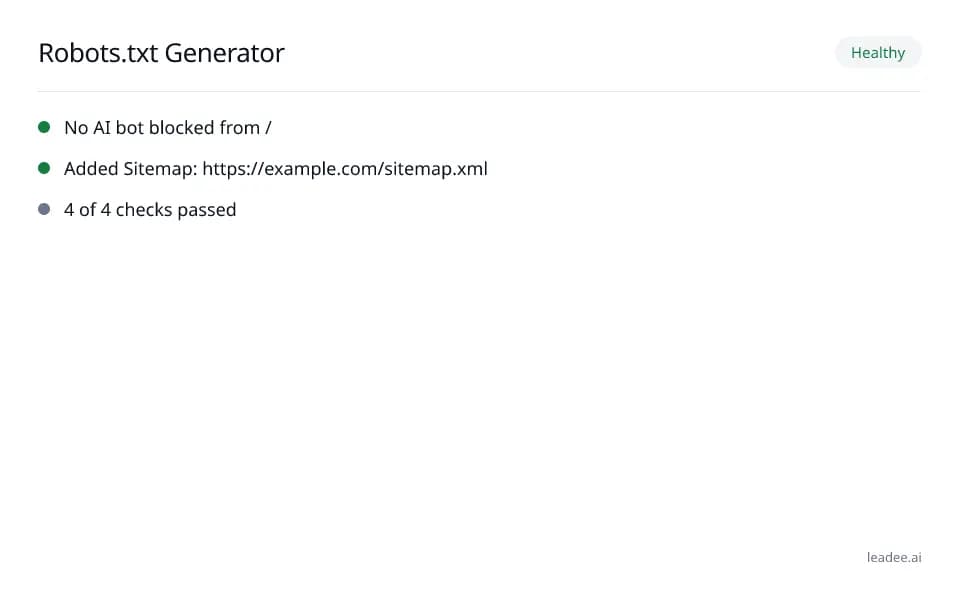
Example result
Run it now
At a glance
- 4 items
- What it checks
- 6
- Questions answered
- No email needed
- To get a result
- Is my site healthy?
- Answers
What does a result look like?
Healthy
- No AI bot blocked from /
- Added Sitemap: https://example.com/sitemap.xml
- 4 of 4 checks passed
Sample from a real run, 15 Nov 2026.
What does it check?
See the full methodology at /methodology for how every Leadee check is scored and weighted.
Non-AI-bot rules kept exactly as they parse
Leadee generator (own engine). Checked 15 November 2026.
AI bot groups replaced per the chosen preset
Leadee generator (own engine). Checked 15 November 2026.
Sitemap: lines preserved + yours appended
RFC 9309 §2.3. Checked 15 November 2026.
Result re-checked with the robots.txt tester
The generated file is run through the same reachability, syntax and size checks as the robots.txt tester. Checked 15 November 2026.
How do I read and fix the result?
Check the diff before you publish — it shows exactly which lines changed, so you can confirm no rule you still need (for a non-AI bot) was touched.
Optionally enter your site's URL (or paste your current robots.txt) so your existing rules are preserved.
Pick a preset: allow AI search and block AI training, block all AI, allow everyone, or choose per bot.
Add your sitemap URL so it is included as a Sitemap: line.
Review the generated file and the diff against your current one, then copy or download it to publish.
Who is it for?

Engineering and field-service teams
Sites that must stay fast, secure and crawlable.

Local and regional printers
Small-business sites that can't afford downtime or a breach.

Distribution and logistics
Order and tracking pages that must never time out.
What are the limits?
What are the limits?
Leadee never publishes anything to your site — you copy or download the generated file and upload or paste it yourself; the generator only knows the AI bots in its own list, not every possible crawler.
Questions
Will this overwrite rules I already have for other bots?
No — the generator only replaces the User-agent groups for AI bots it knows about (from the same list the tester uses), grouped and evaluated per RFC 9309 (https://www.rfc-editor.org/rfc/rfc9309); any other rule (Googlebot, Bingbot's own group, a wildcard "*" group, Crawl-delay, Host) is kept exactly as it already parses, and re-appended unchanged.
Which preset should I use?
"Allow AI search, block AI training" is the most common choice for sites that want to appear in ChatGPT/Perplexity/AI Mode answers but opt out of having their content used to train future models — it is the default here. OpenAI documents GPTBot (training) as separate from OAI-SearchBot/ChatGPT-User (search) at https://developers.openai.com/api/docs/bots, which is why the two can be ruled separately. "Block all AI" opts out entirely; "Allow all" places no AI-specific rules at all (the same as having none).
What does the diff show me?
A standard unified diff (the same format Git uses) between the robots.txt you started with and the one the generator produced, so you can see exactly which lines were added, removed or left alone before you publish anything to your live site.
Does the generator publish the file to my site automatically?
No — Leadee never writes to your site. You copy or download the generated robots.txt and upload or paste it into your own site, CMS or plugin yourself.
Can I set a different rule for each bot myself?
Yes — choose the "Custom" preset and pick allow or disallow for each bot individually, instead of using one of the three presets.
Is the generated file checked for errors before I download it?
Yes — every generated file is run back through the same engine as the robots.txt tester, so the result you copy has already been confirmed free of syntax errors and oversized-file problems.
Can GEO guarantee results?
No. AI answer engines change their output frequently, and no vendor — including Leadee — can guarantee a ranking or a mention. Leadee publishes confidence intervals on every metric so you can see how much a result can vary run to run.
How does Leadee measure AI visibility?
Leadee runs your prompt set against each AI engine on a weekly to daily schedule, depending on plan, through official vendor APIs (OpenAI, Gemini, Perplexity, Anthropic, DataForSEO) — never by scraping consumer chat interfaces — and reports mention rate, citation rate, average position, share of voice and sentiment with a 95% confidence interval.
Who do I talk to?
Email support@leadee.ai or use Talk to an expert at https://leadee.ai/contact-sales — the Netbase JSC team behind Leadee replies by email or WhatsApp — or WhatsApp the CEO directly at https://wa.me/84937869689.
Which tools go with this one?
- Free tool
Robots.txt Tester
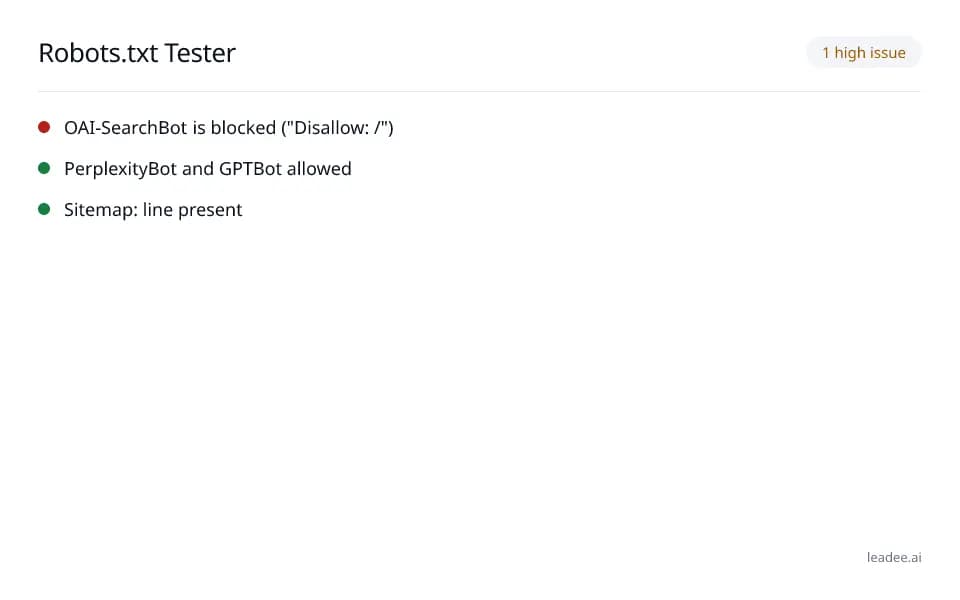
Paste or fetch a robots.txt file and see which AI bots — GPTBot, ClaudeBot, PerplexityBot, Google-Extended, Bingbot, more — are allowed or blocked at any path.
Learn more - Free tool
AI Bot Log Analyzer
Drop an Apache, nginx or Cloudflare log. See which AI bots visited, which pages they read, their status codes and whether each IP is in the published range.
Learn more - Free tool
Sitemap Validator
Check an XML sitemap or sitemap index against sitemaps.org: namespace, 50,000 URL and 50 MB limits, lastmod, child sitemaps, robots.txt and 20 sampled URLs.
Learn more - Leadee product
Fix plans
Turn Audit, Tracker and Citation Graph findings into fix tickets — schema, FAQs, briefs — then Leadee re-measures to confirm each one worked.
Learn more
Related
 Free tool
s
 Free tool
Robots.txt tester
- Free tool
AI Crawlers and Robots.txt
Keep AI bot access right as your site changes, not just once.
Leadee tracks AI crawler access alongside the rest of your AI visibility — not a one-off check.